
Generate Professional Invoices with AI in Seconds
Describe your services, enter your details, and let AI create a polished, professional invoice instantly. No templates to fill out, no formatting headaches—just fast, accurate invoices ready to send. Try it free!
Agentic AI That Works For You
AI that creates, refines, and manages your documents autonomously.
Built for Documents
PDFs, reports, spreadsheets, and more
AI-Managed Workspace
AI maintains its own files — organizing and refining as it works
Learns From You
Automatically learn from your chats and gets better over time
Super Fast AI Document Generator
Transform your ideas into professional documents in seconds with AI
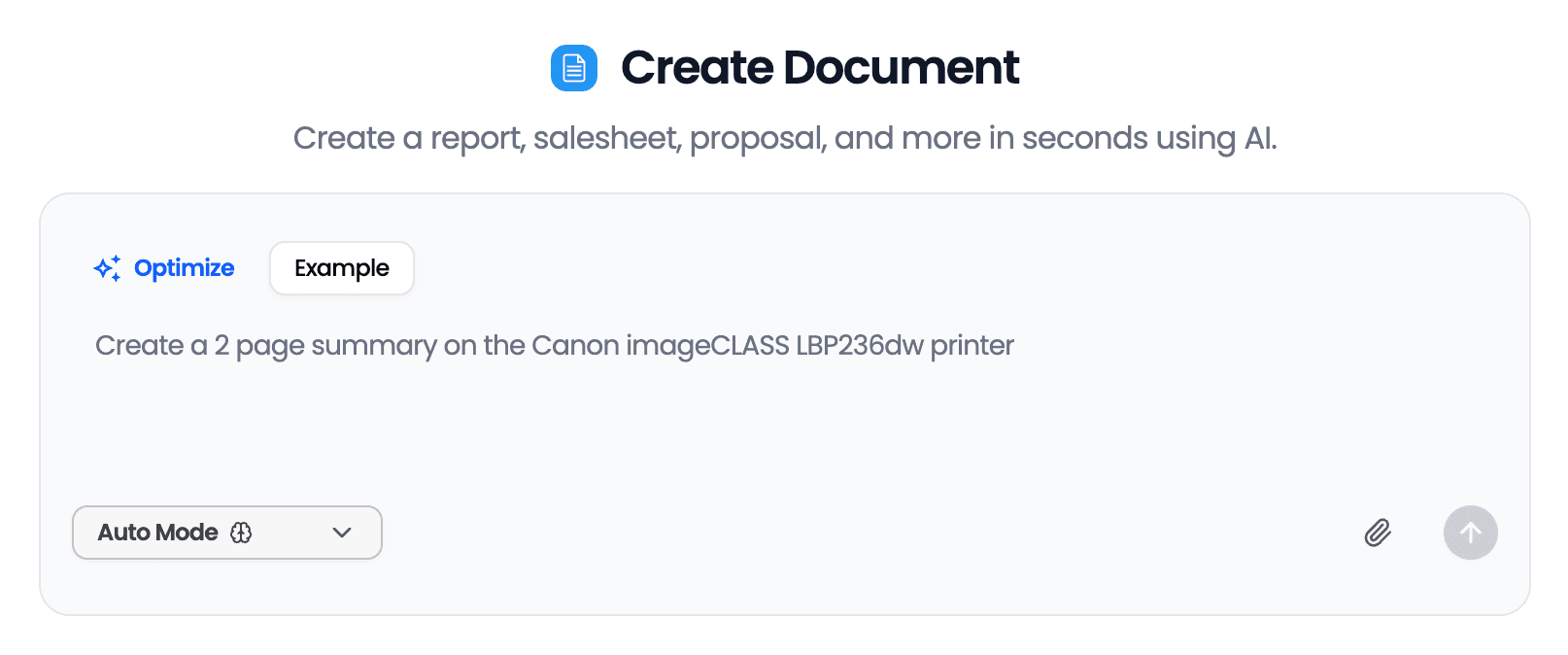
Instant Invoice Creation
Simply describe what you need to bill for, and AI generates a complete, professionally formatted invoice in seconds.
Automatic Calculations
Line items, taxes, discounts, and totals are calculated automatically—no manual math or spreadsheet formulas required.
Customizable Details
Easily include your business name, logo placeholder, payment terms, due dates, and any specific notes for your client.
Multiple Export Options
Download your invoice as a PDF ready to email, print, or upload to your accounting software.
Professional Formatting
Every invoice follows standard business formatting that clients expect, helping you look established and trustworthy.
Benefits
Save Hours on Administrative Work
Freelancers and small business owners spend an average of 5+ hours per month on invoicing. AI Doc Maker cuts that to minutes. Describe your project, specify your rates, and get a complete invoice without hunting through templates or copying from old files.
Get Paid Faster with Professional Invoices
Clear, well-organized invoices reduce client confusion and payment delays. AI generates invoices with proper structure, itemized services, and prominent payment details—everything clients need to process your payment quickly.
Eliminate Calculation Errors
Manual invoicing leads to mistakes that cost you money or damage client relationships. AI handles all the math automatically, including taxes, discounts, and multi-line totals, so every invoice is accurate the first time.
Focus on Your Actual Work
Every minute spent on paperwork is a minute not spent on billable work or growing your business. With AI-generated invoices, you can bill clients immediately after completing work while details are fresh, then move on to your next project.
Free AI Tools
Explore our suite of AI-powered productivity tools
More AI Tools
Discover more ways to boost your productivity
Frequently Asked Questions
How does the AI invoice generator work?
Simply type a description of the services you provided, your business details, and client information. The AI analyzes your input and generates a complete, formatted invoice with proper line items, calculations, and professional layout. You can then download it as a PDF.
Is the AI invoice generator really free?
Yes, AI Doc Maker offers generous free usage that covers most invoicing needs. You can create professional invoices without a subscription or credit card. Premium features are available for users with higher-volume needs.
Can I customize the invoice with my business details?
Absolutely. Include your business name, address, contact information, payment terms, due dates, and notes to clients. The AI incorporates all your details into a properly formatted invoice layout.
What information should I include in my invoice request?
For best results, include: your business name, client name and address, services provided with quantities and rates, payment terms (Net 30, due on receipt, etc.), and any applicable taxes or discounts. The more detail you provide, the more accurate your invoice.
Can I create invoices for different types of services?
Yes, the AI invoice generator works for any service-based business—consulting, freelance work, creative services, professional services, contractors, and more. Just describe your specific services and pricing structure.
How do I send the invoice to my client?
After generating your invoice, download it as a PDF. You can then email it directly to your client, upload it to invoicing software, or print a physical copy. The PDF format is universally accepted by businesses.
Are the invoices professional enough for business use?
Yes. AI-generated invoices follow standard business invoice formatting with clear sections for sender/recipient information, itemized services, calculations, and payment terms. They're suitable for any professional business relationship.
Can I include multiple line items on one invoice?
Yes, simply list all the services or products you need to bill for in your description. The AI will create separate line items with individual pricing and calculate the correct total automatically.
Featured in
Popular with ChatGPT Users
Our apps have been featured on OpenAI's ChatGPT Plugin Store and GPT Store, trusted by thousands of users worldwide.
What people are saying
"You've got all the text-generating capabilities of ChatGPT, but also with an easy way to get that text into a shareable, standard format."
"This method is great for making documents, spreadsheets, and presentations... Your documents can include ad copy, formulas, taglines, feedback, blog posts, and more!"
"It's designed to offer users a seamless experience in creating a diverse range of documents... producing PDFs, DOCX, XLSX, and HTML files becomes a breeze."